|
|
|
|
Dear Rocket Lovin Affectionado,
|
Thanks for subscribing to the Meco Newsletter. As a solo indie developer, your support means more than you think. That said, I am especially excited about the latest update to Meco Rocket Simulator!
|
|
|
"We wrapped the cycle missions while you were out.
Try not to set anything important on fire." — Miku
|
|
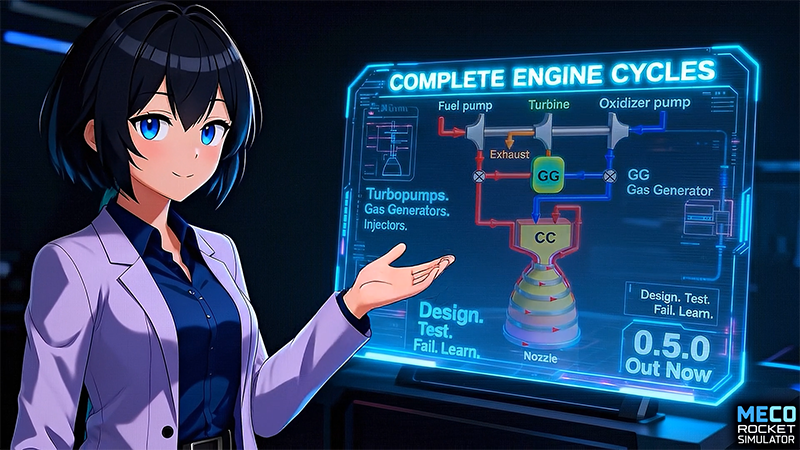
This one's been cooking for a while. Meco 0.5.0 is live, and it does two things: it ships Chapter IV's cycle missions, and it rebuilds how new players get into the game.
|
The headline: With this release, the mission ladder now covers 100% of the components you need to construct a cryogenically cooled gas generator cycle engine. Chamber and nozzle, regenerative cooling, turbopumps, gas generator, injector — end to end, in your hands. Chapter IV ("Don't Break the Cycle") is now complete, and it lands with three new missions:
|
- Mission 10: Turbopump Integration. You wire up a LOX turbopump on a direct-drive shaft, Vulcain-style. Everything you learned about pumps and turbines in 0.4 comes together here.
- Mission 11: Gas Generator Genesis. A complete F-1 gas generator cycle. You set up the GG, route exhaust to the turbine, and tune until the whole thing converges. "Self-sustaining turbopumps: where the system decides its own speed, and you just hope it picked a good one." This one took me weeks to get right.
- Mission 12: Injector Insights. RL-10 inspired coaxial injector design. LOX posts, H2 annuli, chamber pressure tuning. Turns out injector geometry matters a lot more than I expected when I started modeling it.
Missions 10-12 also got cinematic intro videos and music tracks. So did the older missions. And in the last days before this release, every mission intro video got re-rendered with lip-synced voice-over — your mission director now actually speaks the briefing. It's a small thing, but it makes loading into a mission feel like the start of something, not just "here's your schematic."
|
The launch experience itself got the same treatment. Boot the game now, and you get a short cinematic instead of a white flash, and you land on a redesigned Start page with a clear "Design. Test. Fail. Learn." on-ramp that points new players at Mission Mode. The game also opens full screen on first run and remembers your window state across sessions, with an Exit Game item in the drawer so you're never trapped.
|
But honestly, the bigger story for new players is the onboarding overhaul. The data from 0.4 was unambiguous: median playtime was about 22 minutes, and the "wow moment" didn't land until minute 30. So the whole front door got rebuilt to bring that moment forward to minute one.
|
- A brand new Mission 0, "Don't Touch That." Your first day at Mecodyne. You walk in on Miku's workstation with a Vulcain Engine model already open. She told you not to press Run Test. You press Run Test. The sim runs. Welcome to the job.
- "Need a hint?" support across every mission. The game now reads what you've built, compares it to what the objective expects, and offers a real, specific hint when you're stuck. It catches typos. It catches the case where you named something "Lox Pump" instead of "LOX Pump." It points at the actual mismatch instead of just saying "not yet."
- Highlight beacons. Animated arrows that point at exactly the thing you should click next — and they're now twice as big so you actually see them. They show up in Mission 0, Mission 1, Mission 2, and on the Mission 0 play button itself when you boot the game.
- A pinned mission sidebar. The mission window used to float and you'd lose it. Now it stays put on the right side, and the editor shrinks to make room. So much less window juggling.
- Click-to-place components. Drag-to-place is gone. Click the component in the menu, click where you want it, done.
- Progressive objective reveal. Objectives unfold as you complete them instead of dumping the whole list on you up front.
Other stuff worth mentioning:
|
- Display units. You can finally pick your preferred output units for charts and simulation results. Want thrust in lbf instead of kN? Pressure in psi? Go for it. One of the most requested features.
- Parameter type selector. The control parameter editor has a dropdown for parameter type now, so you can be explicit about what you're controlling.
- Responsive charts. Charts resize properly on different screens. Sounds boring. It really isn't if you've been fighting tiny charts on a laptop.
- Efficiency shown as percent. η = 0.82 was technically correct. 82% is what your brain actually wants to read.
Behind the scenes, Lorenlib got a new gas model prototype for staged combustion and expander cycles, the 3D renderer now works on Metal (macOS), and the turbopump physics got a real correction (efficiency scaling moved from pump head to shaft torque, which matters for missions 8, 9, and 11). The 3D MOC nozzle solver also got a CFD review and a derivative-slot fix.
|
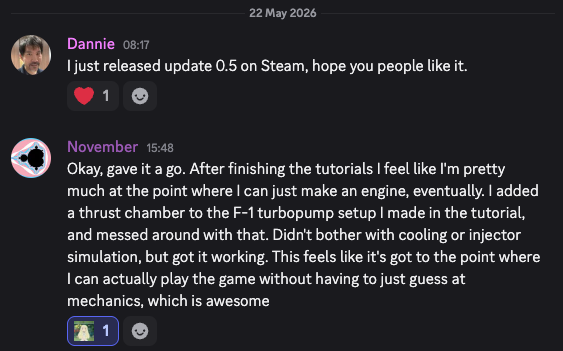
If you play and have a minute, a Steam review goes a long way for a small project like this.
|
Creator and solo indie developer of Meco Rocket Simulator
|
(p.s. As promised, subscribers get a heads up when discounts are happening, this one lasts for 14 days, so pick it up soon!)
|
|
|
|